Classroom Technology Support
New classroom tech support
Left
The best way to reach out to us for LMS support is to email us at LTS@uic.edu, or you can put in a ticket describing your issue. When using the ticketing system, each request is assigned a unique ticket number, enabling us to easily track requests and assign them to the appropriate team member. The most important advantage of using our ticketing system is that a problem can be instantly routed to an LTS staff member with the relevant expertise to solve the problem. If you are logged into Blackboard and run into an issue, under Home, you can click on “Chat live with Blackboard support for UIC.”
In some cases, there is an immediate need for classroom support. First, you can call 312-413-0003 and select option 1 followed by option 2. If our support staff doesn’t pick up, you can leave a message, which will generate a ticket, and someone will call back once they are available. We are also adding a button on the classroom touch panels that will automatically call our help desk and identify the room.
Right
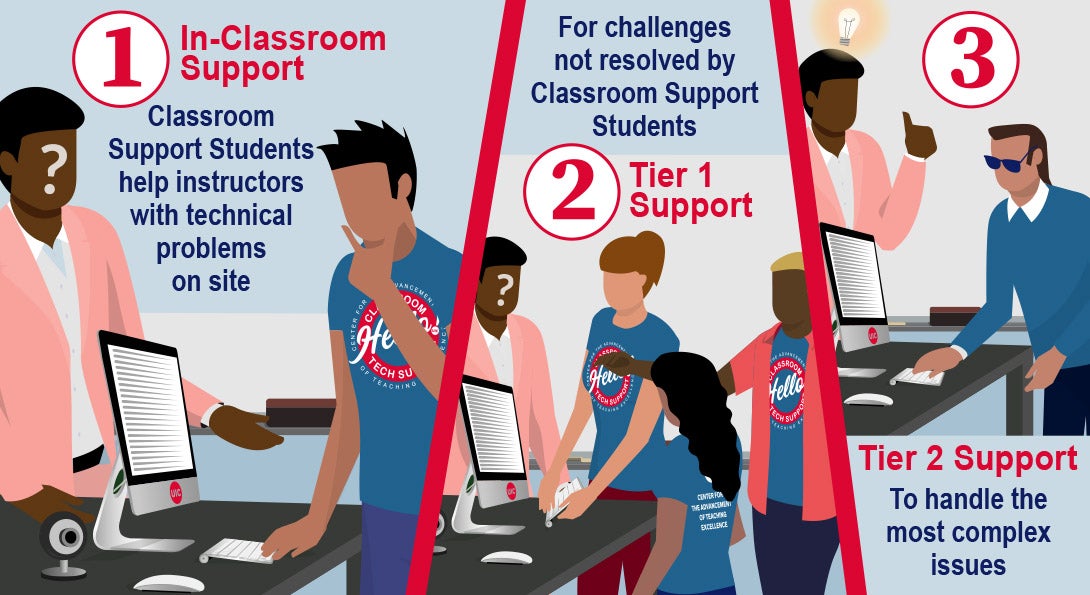
Finally, LTS has hired students who are available year-round. A classroom tech support student will meet you at your classroom to help with AV equipment and streaming or recording technologies such as Echo360 and Zoom. Faculty will recognize them from their LTS-branded t-shirts. These students are available to assist with basic IT questions, can help in setting up the AV system, or various ed-tech questions such as Echo 360 and Zoom if instructors are having trouble.
If the classroom tech support students are unable to immediately resolve your problem, they will promptly escalate the issue to our LTS Tier 1 support team. At this level, this team can help with more complicated requests such as broken equipment or system failures. To directly request tier-1 support, faculty can call the phone number listed on the monitor in the room.
If the LTS Tier 1 team is still unable to resolve the problem, our LTS IT experts will step in to resolve more complex issues in our classrooms and engage UIC’s vendors as needed.
summary
With these levels of support, and especially with our classroom tech support team, we hope to resolve any unexpected situations in the classroom quickly and efficiently, so that you can get back to the important work of teaching your class, without too much interruption.